QtEasyTier: A Qt GUI Shell for EasyTier
QtEasyTier is a decentralized networking tool built on EasyTier that wraps the command-line EasyTier in a Qt GUI, so you can bring up a network with one click. The original author is myqfeng (gitee repo here); this is my fork, which I use myself and also picked up to study the implementation.
I’ve been through plenty of networking setups. The kind that rely on a central server go down entirely when that server drops, and the latency isn’t great either. EasyTier goes decentralized: every node is equal, nothing depends on one central machine, and the core is written in Rust + Tokio. The downside is that the tool itself is command-line, with a pile of parameters, which makes it a pain to pull in a friend for a quick session. QtEasyTier exists to solve that entry-point problem.
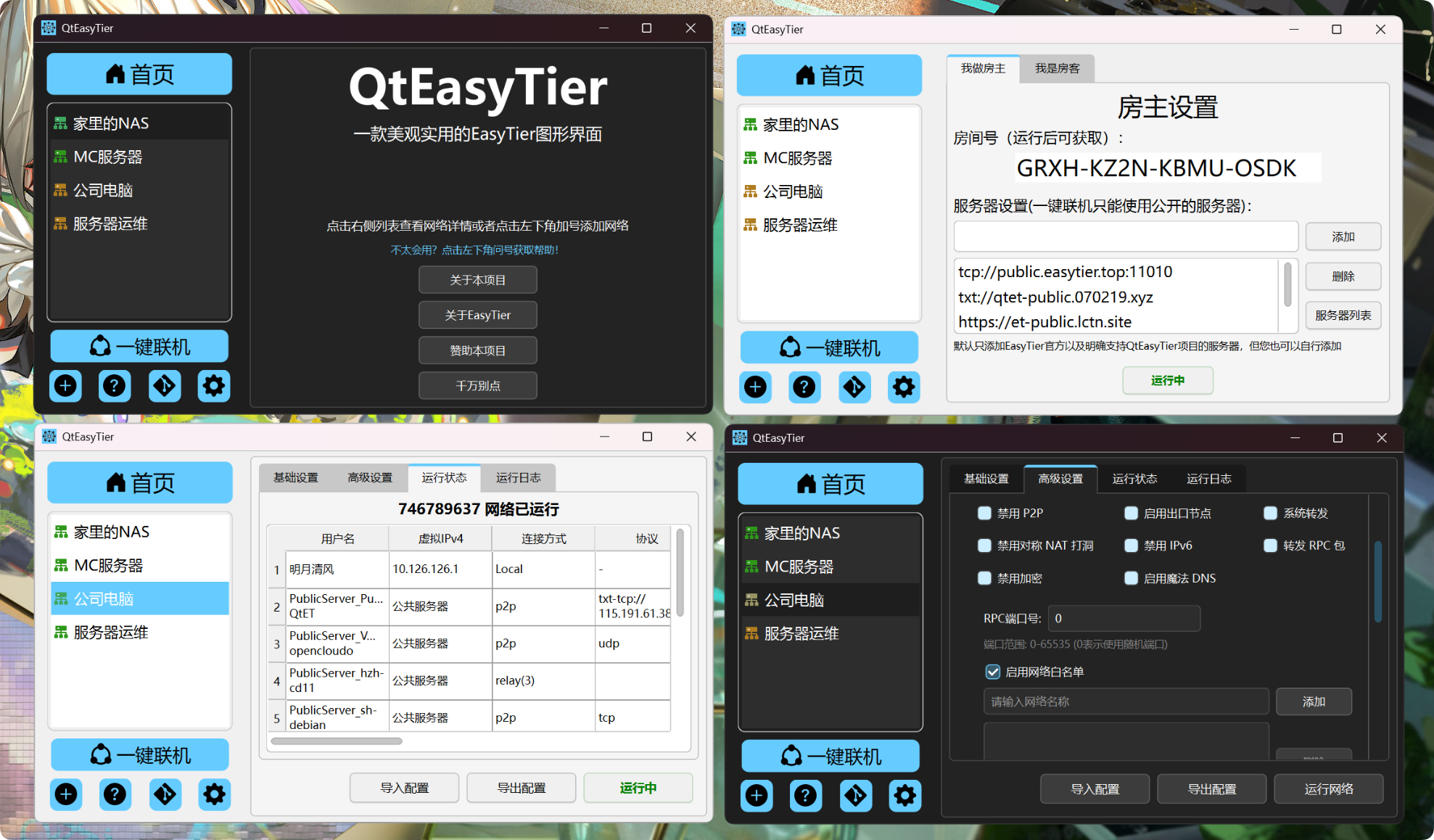
The interface is pure Qt C++, with no Chromium or Webview bundled in, and day-to-day it uses under 50MB. A lot of desktop tools these days ship a whole browser engine, so a little networking utility ends up eating hundreds of MB; this kind of restraint is rare. The UI is ported from KDE’s Breeze. Rather than hand-rolling its own controls, it lifts Plasma’s ready-made styling directly, which is both less work and good-looking.
On the feature side it exposes most of EasyTier’s capabilities, so you can configure virtual networks as needed. At the same time it keeps a one-click join: the host starts the service, gets a room number, and sends it out; guests type in the number and land on the same network. This layering of a complex core plus a foolproof entry point neither cuts capability nor leaves beginners behind.
To build it yourself you need Qt 6 (the author recommends 6.10.1), CMake 3.5+, and a C++20-capable llvm-mingw; the usual cmake trio cmake .. / --build / --install gets you there. One thing worth noting: adding -DSAVE_CONF_IN_APP_DIR=true builds a portable version, where config is written to the program directory instead of a system path, and it also disables autostart on boot, so it doesn’t pollute the system. Right now it only covers Windows 10/11; Linux is on the roadmap, and Mac is on hold for now since the author has no device for it. Licensed under GPLv3.
If you want to dig deeper, go straight to the original repo, and don’t knock on the wrong door.